
Tank dip to metric tons, exactly as the printed tables give it.
Enter the dip, temperature and density. FuelMetric Pro applies your own tank chart and the 1980 Tables 53B and 54B, and gives the stock in MT — with the daily stock report and receipt report ready to sign.
For Android. FuelMetric Pro is in testing on Google Play. Send us the Google account you use on your phone and we will add you to the test.
The same answer as the book.
Many fuel-oil receipts are still settled on the printed 1980 Tables 53B and 54B. A calculator that only uses the formula can land one step away from the book in some cells — enough to start an argument over a barge.
FuelMetric Pro follows the printed tables, including the cells where the book and the formula disagree, and shows you the row and column it used every time.
| Test calculations compared with checked reference values every time the app is updated | 4,808 |
|---|---|
| Table values where the printed book differs from the formula — the app gives the book's figure | 81 |
| Real receipt readings from a working power plant — the app gives the same density and VCF | 60 |
| Observed density | 958.0 kg/m³ | at 48.50 °C |
|---|---|---|
| Density at 15 °C | 980.1 kg/m³ | Table 53B, row 48.50 °C |
| VCF | 0.9767 | Table 54B, column 980 |
| Observed volume | 2,345,000 L | from your tank chart |
| Net volume at 15 °C | 2,290,362 L | volume × VCF |
| WCF | 0.9790 | 0.9801 − 0.0011 |
| Quantity | 2,242.264 MT | net × WCF |
Built around the daily dip round.
Every screen follows the order the work is done on site — from the first tank dipped to the report on the manager's desk.
-
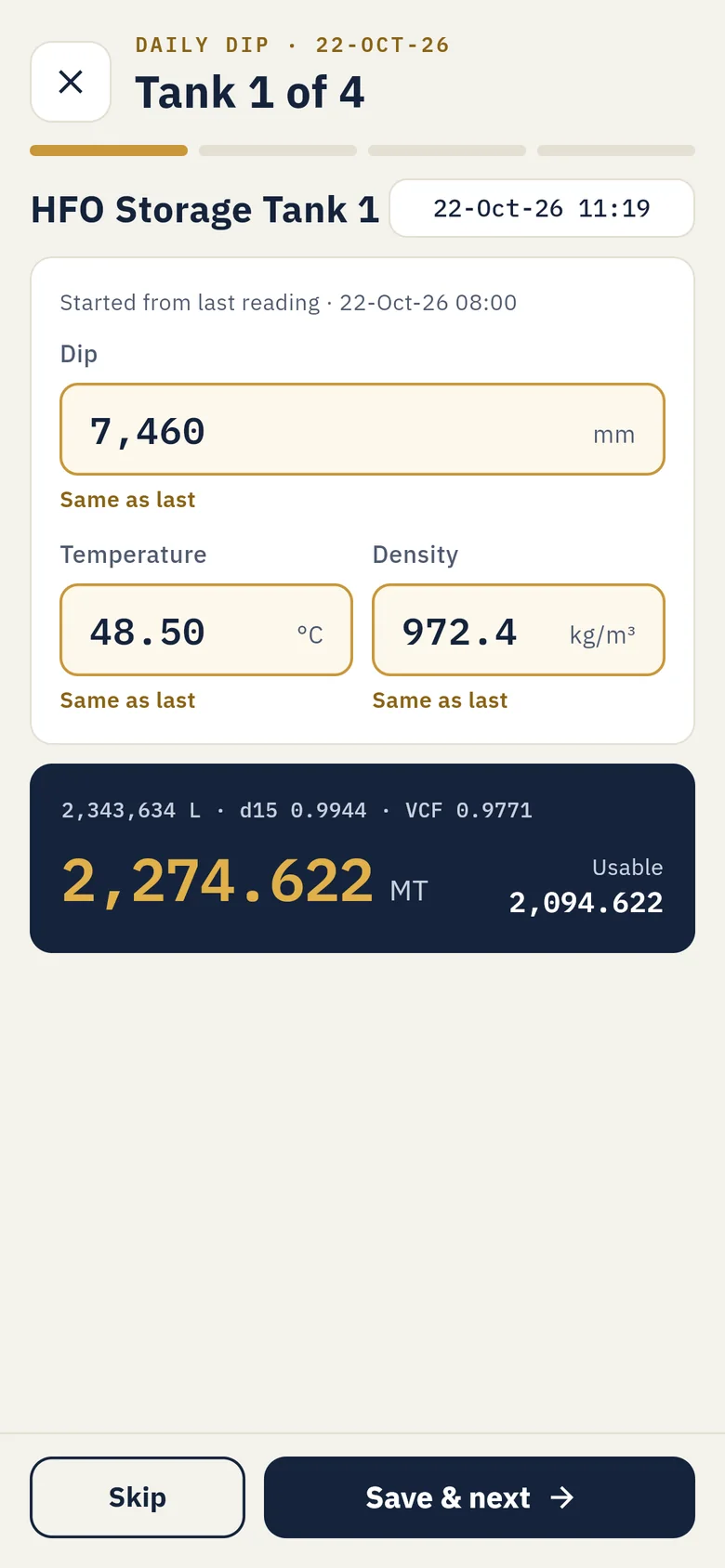
Dip each tank
Step through the tanks in order. Each opens with its last reading; change what moved and save.
-
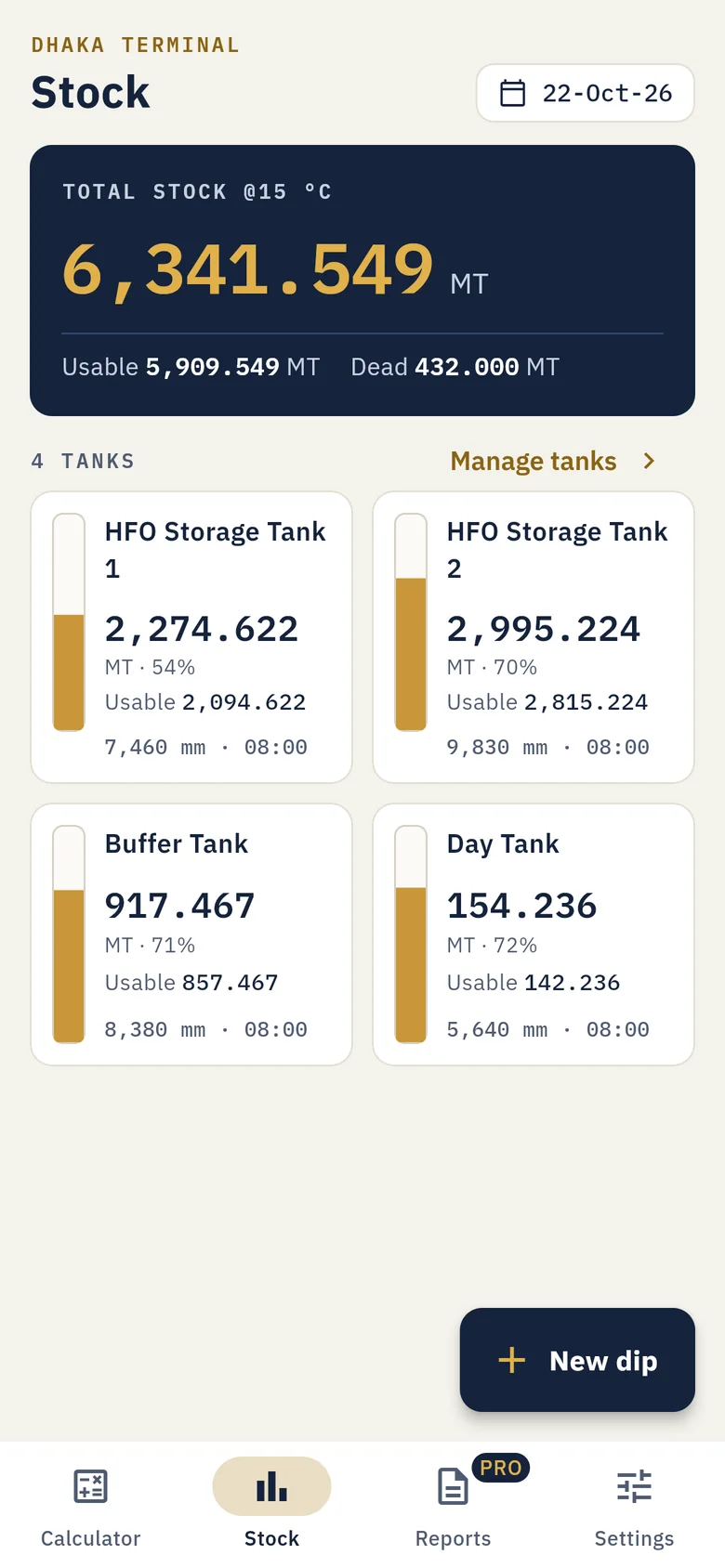
See the site's stock
Total and usable MT, fill level and dead stock for every tank. Undipped tanks carry forward, clearly marked.
-
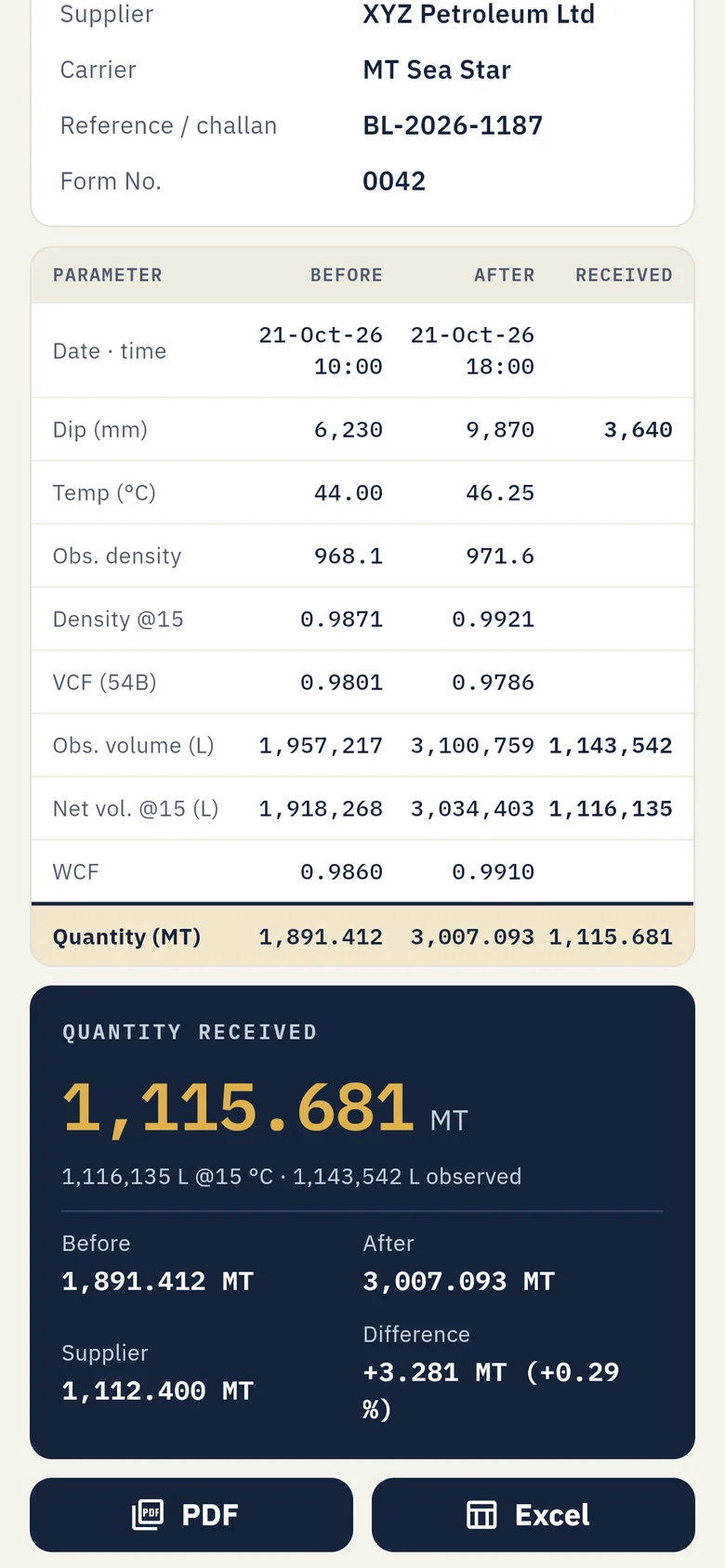
Record receipts
Before and After dips give the quantity received or transferred, checked against the supplier's figure.
-
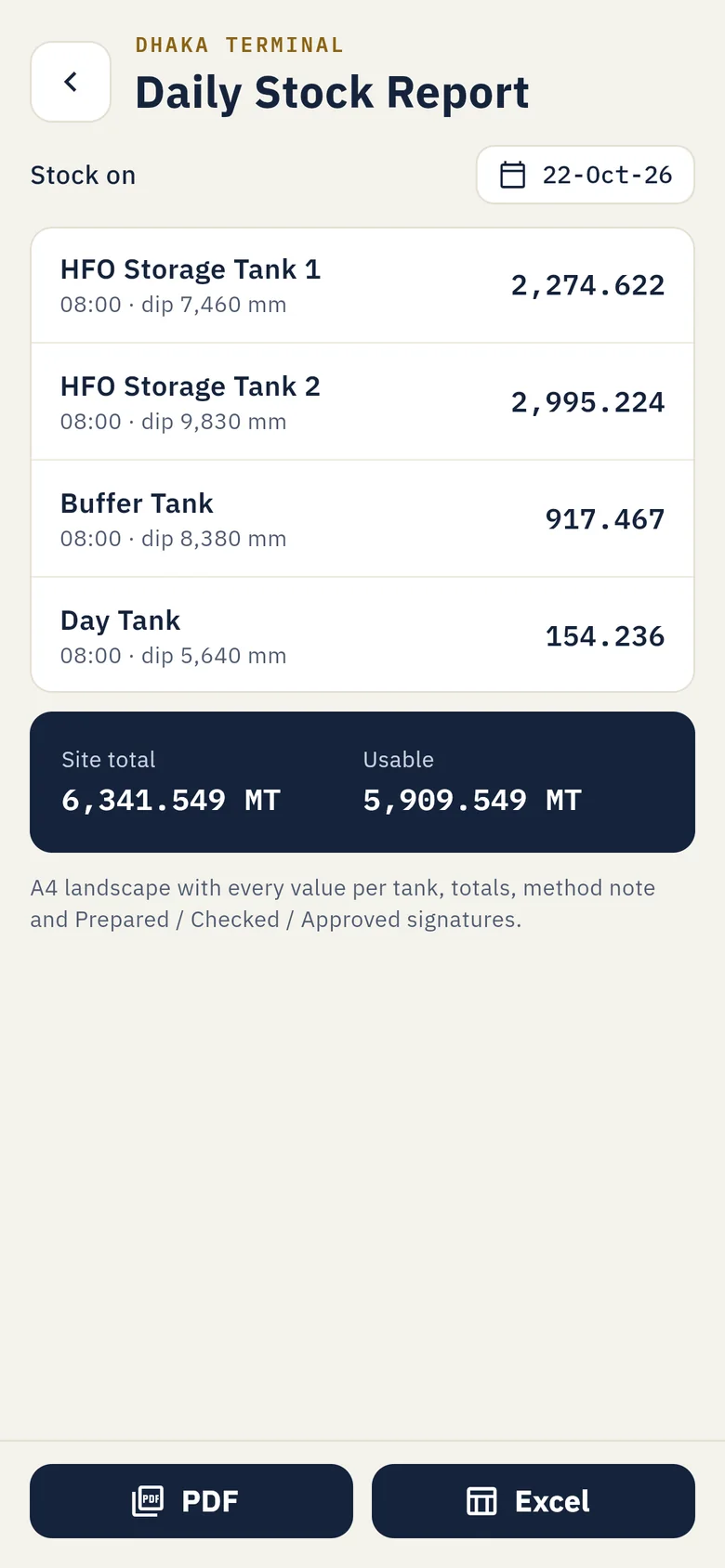
Share the report
Daily stock report and receipt report as PDF or Excel, with Prepared, Checked and Approved boxes.
Your own calibration charts. Import each tank's chart once from a CSV file — dip in mm and volume in litres, with a fraction table if your chart has one. The app checks the order, gaps and a spot dip before it saves, and never guesses outside the chart.
Know the difference before the supplier leaves.
Dip before and after the barge or lorry discharges. FuelMetric Pro works out the quantity received at 15 °C and sets it against the supplier's figure — in MT and in percent — on the receipt report both sides sign.
- Quantity received, measured
- 1,115.681 MT
- Supplier's figure
- 1,112.400 MT
- Difference
- +3.281 MT+0.29 %
Your stock figures stay on your phone.
There is no FuelMetric server. We never see your tanks, readings or suppliers — so there is nothing to leak, sell or lose when a password does.
- No account, no sign-inInstall and start. Nothing to register.
- Works offlineIn the tank farm, on board, without signal.
- No ads, no trackingNo analytics or advertising services in the app.
- Backup in one fileSave it where you like; restore with a preview first.
Start free. Go Pro when you run the whole site.
| What you get | FreeAlways | ProMonthly, yearly or once |
|---|---|---|
| Density at 15 °C and VCF calculator | Yes | Yes |
| Tanks with your own calibration chart | 1 tank | Unlimited |
| Stock in MT from a dip | Yes | Yes |
| Daily dip round and full history | — | Yes |
| Receipts and transfers with supplier comparison | — | Yes |
| Daily stock report and receipt report as PDF and Excel | — | Yes |
| Backup and restore | Yes | Yes |
Bought and managed through Google Play, which shows the exact price in your currency. Cancel a subscription any time in the Play Store app.
Made by an engineer who did these figures every day.
FuelMetric Pro was built by a mechanical engineer with more than fifteen years in power-plant operations — someone who has dipped the tanks, argued over the receipts and kept the stock sheet in Excel.
That is why it carries the last reading forward, why it asks before it changes anything, and why the receipt report looks like the one you already sign.
Sanaur Labs, Dhaka
Questions
Which standard does it use?
The fuel-oil procedure of the 1980 Petroleum Measurement Tables (ASTM D1250-80): Table 53B for density at 15 °C and Table 54B for the volume correction factor, matched to the printed book. It is made for fuel oils such as HFO. Light products like petrol use different constants and are not covered.
Can I use my own tank calibration charts?
Yes — every tank uses its own chart. Import it from a CSV file with dip in mm and volume in litres, plus an optional fraction table. The app gives you a template and checks the chart before saving.
Does it need the internet?
No. All calculations and records are on the phone. Google Play only uses the internet for purchases and app updates.
Where is my data, and what if I change phones?
Only on your phone. Make a backup file from Settings, keep it in Drive or email, and restore it on the new phone. Android's own backup to your Google account also works if it is switched on.
Can I rely on it for custody transfer?
FuelMetric Pro is a calculation tool. Its results depend on the charts and readings you enter, so check important figures against your official documents and procedures, as you would with any spreadsheet.
Is there an iPhone or Windows version?
Android only for now. If you need Windows or iPhone, tell us at [email protected] — it helps us decide what comes next.
How do I join the test?
Email [email protected] with the Google account you use on your Android phone. We will add you and send the link to install from Google Play.
Try it on your next dip round.
Android, free to start. Send us your Google account email to join the test.